Claude Code Agent Teams Are Not Pointless
Claude Code agent teams, measured. The env var that turns them on, how the lead and mailboxes work, what five teammates cost in RAM and tokens, and when subagents win.
Agent teams are Claude Code's built-in way to run several full sessions as one crew: a team lead, teammates with their own context windows, a shared task list, and a mailbox per agent. The Claude Code documentation still labels them experimental as of August 2026, and they stay off until you set one environment variable.
Updated August 24, 2026 · by the AITerm team
the tokens an agent team uses against a standard session in plan mode, per the Claude Code cost documentation
what a lead plus four teammates took on our M2 Air, before the terminal rendering them is counted
the number of teammates we run when the team is writing code rather than arguing about it
Key takeaways
- One environment variable turns them on, and turning them on quietly changes ordinary delegation: a subagent Claude names launches as a teammate.
- The difference that matters is not architecture, it is what comes back. A subagent hands Claude a result. A teammate sends an idle notification with no output in it.
- Machine cost is a non-issue. Five concurrent sessions is 3 GB. The bill is tokens, and it is roughly seven times a single session in plan mode.
- Teams win on read-only work: review, investigation, competing hypotheses. On implementation they mostly buy you a merge queue.
- Everyone documents how to spawn a team. Nobody documents how to watch five of them at once, which is where the real friction lives.
| Subagents | Agent teams | Worktree sessions | |
|---|---|---|---|
| Lives where | Inside one session | Separate Claude Code instances | Separate terminals you launch |
| What comes back | A summarized result to the caller | An idle notification, no output | A branch and a diff |
| Talk to each other | Only if Claude named them | Yes, by name, through mailboxes | No |
| Shared task list | No | Yes, with file-locked claiming | No |
| File isolation | isolation: worktree | None, split the files yourself | Enforced by git |
| Token cost | Low, results are summarized | About 7x a single session | Linear in the session count |
| Right tool when | Only the answer matters | Workers must argue with each other | Workers must not touch each other |
What are agent teams in Claude Code?
An agent team is one Claude Code session acting as a lead, plus a set of teammates that are themselves full Claude Code instances. Each teammate has its own context window and loads your project context on spawn: CLAUDE.md, MCP servers, skills. What it does not get is the lead's conversation history, which is the single most common reason a teammate does something strange.
They coordinate two ways. A shared task list, where tasks move through pending, in progress and completed, and where a pending task with unresolved dependencies cannot be claimed until those dependencies clear. And a mailbox: a JSON file per agent under ~/.claude/teams/{team-name}/inboxes/, which is how one teammate addresses another by name without going through the lead.
You're probably thinking this is subagents with extra steps. It is not, and the difference is not philosophical. A subagent returns its result to the caller, so Claude reads what it produced. A teammate finishes and sends an idle notification that carries no output. If it did not message someone or update a task, the work exists in a context window nobody will ever read again.
Turns out that one asymmetry explains most of the confusion in the Reddit threads. People spawn a team, watch it finish, and find the lead cannot summarize what happened. Nothing broke. The findings were simply never sent anywhere.
Is Claude Code agent teams still experimental?
Yes, and it is worth saying plainly because none of the top-ranking pages date the claim. As of August 2026, the Claude Code documentation carries an explicit warning: agent teams are experimental and disabled by default. Without the variable set, no team is created at session start, no team directories are written, and Claude does not spawn or propose teammates at all.
// ~/.claude/settings.json
{
  "env": {
    "CLAUDE_CODE_EXPERIMENTAL_AGENT_TEAMS": "1"
  }
}
Before you turn it on, read the side effect, because it is the part that bites. Enabling teams also changes ordinary delegation. Claude names subagents on its own so it can message them later, and while teams are enabled, a named subagent launches as a teammate. Teams form in sessions where you never asked for one, and an orchestration that waits on subagent results stalls, because teammates report back with an idle notification instead.
And yes, there is an off switch, the same variable set to "0", and you do not need a new session: Claude Code reapplies settings-file env values when you save and rereads the variable each time it spawns a subagent. Watch the precedence though. A "0" in your user settings loses to a "1" in project settings, local settings or a managed settings payload.
The documented limitations are honest, and several of them will find you in the first hour. /resume and /rewind do not restore in-process teammates, so a resumed lead may try to message agents that no longer exist. Teammates sometimes fail to mark a task complete, which silently blocks everything depending on it. Shutdown waits for the current tool call to finish. A session gets exactly one team, teammates cannot spawn teammates, and the lead is the lead for the lifetime of the session.
Opinion
The experimental label is not the risk here. The risk is that a feature you enabled once, in a settings file you forgot about, silently converts every named subagent into a teammate. We would rather see teams behind an explicit flag per session than behind an environment variable that changes delegation everywhere.
The four moving parts
Strip the vocabulary away and a team is four things on disk plus a naming convention. Here they are, in the order you will meet them.
So, nothing here is magic. The interesting part is that all of it is inspectable with cat, which turns out to be the fastest debugging tool you have when a team goes quiet.
The team lead
Your main session. It spawns teammates by calling the Agent tool with a name, assigns work, approves teammate plans on its own, and synthesizes what comes back. Its entry in the config always carries the agent type team-lead.
The teammates
Independent Claude Code sessions. They inherit the lead's permission mode at spawn and its effort level, and their model is fixed at spawn, so /model typed while viewing one only changes the lead.
The shared task list
Lives under ~/.claude/tasks/. The lead assigns, or a teammate self-claims the next unblocked task when it finishes one. Claiming uses file locking, so two teammates cannot grab the same task.
The mailboxes
One JSON file per agent. A message counts as sent only when the write to the recipient's file succeeds, so a full disk means the sender gets an error and nothing leaves.
The team name is derived, not chosen: session- followed by the first eight characters of the session ID. That matters for cleanup, because the two directories behave differently.
# removed when the session ends
~/.claude/teams/session-a1b2c3d4/config.json
~/.claude/teams/session-a1b2c3d4/inboxes/reviewer.json

# persists locally, never uploaded, so a resumed session keeps its tasks
~/.claude/tasks/session-a1b2c3d4/
And yes, that asymmetry is deliberate. The task directory is swept on the same cleanupPeriodDays you already set for session transcripts. And do not pre-author the team config by hand: it holds runtime state like session IDs and tmux pane IDs, and your edits get overwritten on the next state update. A .claude/teams/teams.json in your project is not configuration either, Claude treats it as an ordinary file.
There is one composition trick worth knowing. A teammate can be spawned from an existing subagent definition in any scope, project, user, plugin or CLI, which means a role you already wrote once is reusable: spawn a teammate using the security-reviewer agent type to audit the auth module. The definition's tools allowlist and model apply, and its body is appended to the teammate's system prompt rather than replacing it. The catch: the skills and mcpServers frontmatter fields are ignored for teammates, which load those from your project and user settings like any session.
Watching five teammates is the actual job
Every guide on this feature stops at the spawn prompt. That is the easy half, and it was never the problem. The hard half starts four minutes later, when five agent sessions are running and you cannot tell which one is blocked, which one went quiet because it finished, and which one went quiet because it hit an API error.
Claude Code ships a real answer in-process. The agent panel sits below the prompt input: arrow keys select a teammate, Enter opens its transcript so you can message it directly, Escape interrupts its current turn, x stops it, and Ctrl+T toggles the task list. Worth knowing before you panic: an idle teammate's row hides 30 seconds after the whole panel goes idle, and when more than three are idle the surplus rows collapse into a single 2 idle agents row. A hidden row is not a dead teammate. It is still running and still addressable by name.
Split panes are the other option, one pane per teammate, and they require tmux or iTerm2 with the it2 CLI installed. The default changed to "in-process", so upgraded sessions that used to fan out into panes now stay in one terminal unless you say otherwise:
# per session, experimental, absent from claude --help
claude --teammate-mode auto

# or permanently, in ~/.claude/settings.json
{ "teammateMode": "auto" }
Here's the thing. Split-pane mode is not supported in VS Code's integrated terminal, in Windows Terminal, or in Ghostty. So the moment you want five agent sessions side by side, Google's own AI Overview and the docs both hand you the same answer: install tmux. In 2026. To watch five processes on a laptop.
Fair question: why did we build a product around this instead of learning the tmux keybindings? Because the state you need is not only per teammate. It is per provider, per project and per pane, and it has to be visible without typing a command or attaching to a session. Our cockpit shows the three states you actually think in, needs attention, working, ready, next to the live quota windows for each provider. Five teammates on one 5 hour window is exactly the case where the window is the thing that kills the run, not the machine.
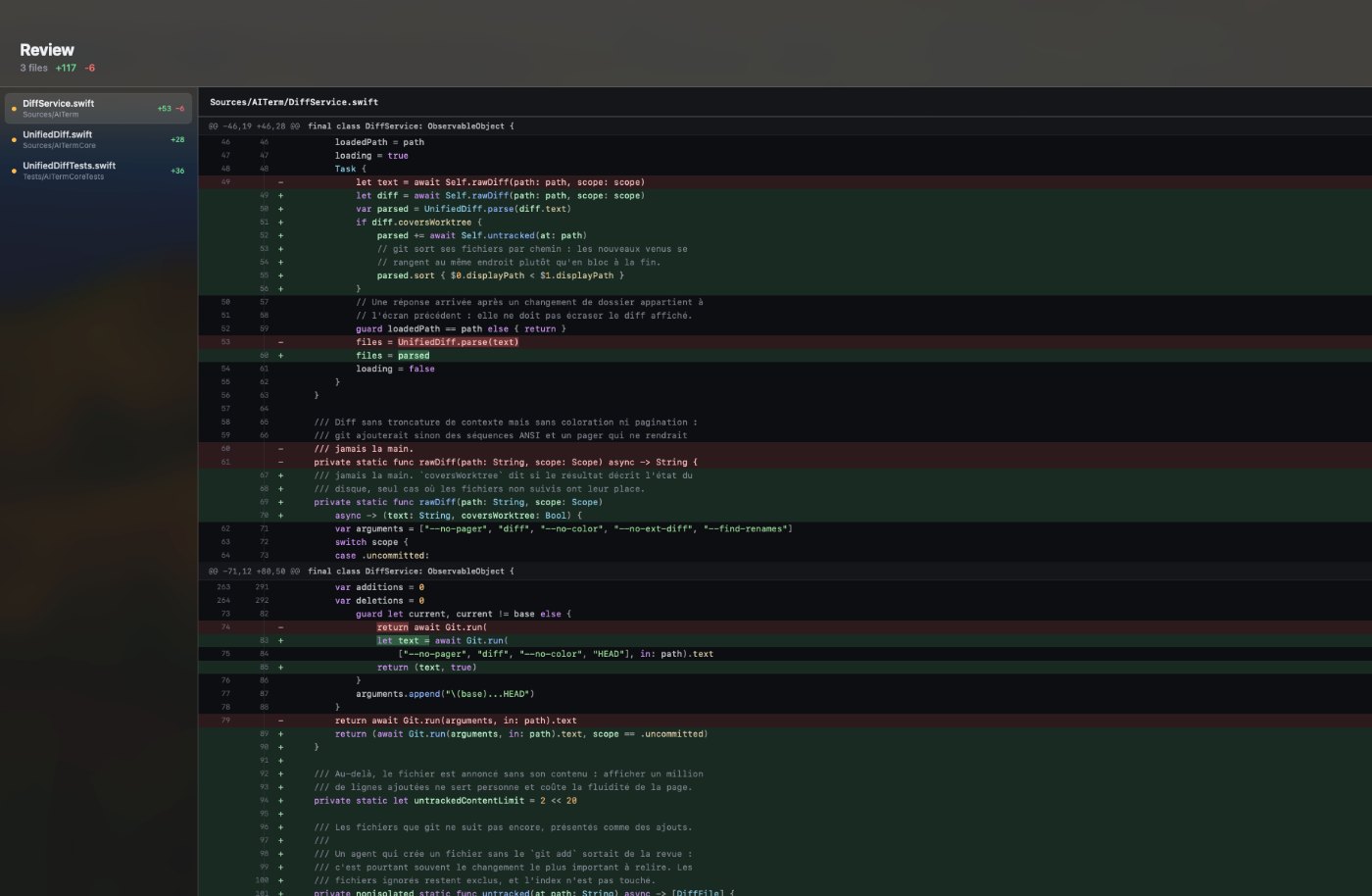
Honestly, we learned this one the expensive way. We shipped a Maestro build with agent teams enabled by default in the bundled settings, and our orchestration kept stalling on a step that waited for a subagent result. There was no bug in our code. Named subagents were launching as teammates, and a teammate returns an idle notification with no output in it, so the step waited forever for something that structurally could not arrive. We spent the better part of two weeks calling it a flaky fleet. It was a one-line default we set ourselves.
What does a five session team cost your machine?
Nobody publishes this number, so here is ours. Same M2 Air with 16 GB, same repository, cold start each time, one prompt of comparable size per session, measured while every session was actively generating rather than idling. A lead plus four teammates is five Claude Code sessions.
Look, the honest headline is that your laptop is fine. Five sessions on a 16 GB machine leaves room to work, the machine stays responsive, and typing latency in our panes stayed under 8 ms with all of them streaming, because the rendering is native rather than a browser engine per window. Anyone telling you agent teams need a bigger machine is measuring the wrong thing.
The real bill is tokens, and the multiplier is not subtle. Anthropic's cost documentation puts agent teams at approximately seven times the tokens of a standard session when teammates run in plan mode, because each one is a separate instance carrying its own context. For scale, the same page reports average enterprise usage around 13 dollars per developer per active day, staying under 30 dollars for 90% of users. Multiply that by seven and you understand why the Reddit thread is titled the way it is.
In practice, the number you budget is not memory. It is a window. On a subscription plan, five teammates working in parallel empty a 5 hour usage window fast, and the window refills on a clock you do not control. There is a quieter multiplier too: every session sends its full conversation with each request, and the prompt cache lifetime is one hour on a subscription, dropping to five minutes once you are drawing on usage credits. Five teammates you left alone for ninety minutes is five cache misses when you come back.
Teams, subagents or worktrees
Honestly, this is where most of the writing on the subject goes quiet, because settling it takes measurement rather than opinion. Three mechanisms parallelize Claude Code and they are not interchangeable. The token curve is the fastest way to see it.
Here is the call we make. Use subagents when only the answer matters and one worker can produce it: run the tests, read the docs, grep the codebase, hand back a summary. Use worktrees when several agents must write to the same repository without colliding, because agent teams give you no file isolation at all and two teammates editing one file simply overwrite each other. Use agent teams when the value is in the disagreement.
That last one deserves a real example rather than a slogan. In July we put four teammates on the review of our pane renderer rewrite, roughly 2,400 changed lines. One on security, one on performance, one on test coverage, and one whose entire brief was to argue with the other three. They produced 11 findings, of which 6 held up under a second look, and the two that actually changed the design came from the contrarian. The same diff reviewed by a single session, same model, same prompt budget, produced 4 findings and missed both of them.
In practice, that is the whole case for agent teams, and it is narrower than the marketing around them suggests. Parallel exploration with adversarial pressure finds things sequential exploration does not, because a single agent anchors on the first plausible explanation and stops looking. Anthropic's own documented example for this is five teammates chasing competing hypotheses on a bug and trying to disprove each other, and it works for the same reason.
Opinion
The cost documentation says to use Sonnet for teammates to keep the bill down. For coordination work, sure. For review work we disagree: a cheap reviewer produces findings a human then has to filter, and human filtering time is the expensive resource in that loop, not tokens. We run review teams on the strongest model we have and we run fewer of them.
How do you properly use Claude Code agent teams?
Start read-only. A pull request review, a library investigation, a bug with several plausible causes. Anthropic's own guidance says the same thing, and the reason is not caution, it is that read-only work has no merge phase, so nothing you gained in parallel gets spent back at the end.
So, a handful of things that changed our results more than any prompt tuning did. Name the teammates explicitly in your spawn instruction, because you will want to address them by name later and the lead otherwise picks its own. Put the task detail in the spawn prompt, since teammates get your project context but not the lead's conversation. Split the files before you split the work.
Spawn three teammates to review PR #142. Call them sec, perf and tests.
sec: token handling and session management in src/auth/ only.
perf: the render path in Sources/AITerm/Pane/ only.
tests: coverage of the two directories above, nothing else.
Have each report findings to me with a severity, then stop.
Require plan approval before any of them edits a file.
Plan approval is underused. Ask for it and the teammate works in read-only plan mode until the lead approves, and if the lead rejects, the teammate revises and resubmits without leaving plan mode. The lead decides alone, so give it a rule in your prompt if you care about the outcome: only approve plans that include a regression test is a sentence that pays for itself.
Turns out hooks are the other lever, and almost nobody mentions them. TeammateIdle fires when a teammate is about to go idle, and exiting with code 2 sends it feedback and keeps it working, which is the clean fix for teammates that stop early. TaskCreated and TaskCompleted work the same way: exit 2 to block the transition and explain why. That is how you enforce a rule like "no task gets marked complete without a passing test run" across a whole team instead of repeating it in every prompt.
And shut them down when they are done. Ask the lead to shut a teammate down by name, since the teammate can approve or reject with an explanation. An active teammate keeps consuming tokens until it exits or the session ends, and a forgotten idle teammate whose row hid itself 30 seconds ago is the easiest way to burn a window on nothing.
The traps that cost us the most
Six weeks of running teams on real work, condensed. None of these are exotic, and all of them cost us at least an afternoon. Honestly, the pattern across all seven is the same: a team fails quietly, and you find out twenty minutes later.
| What you see | What is happening | Fix |
|---|---|---|
| A teammate vanished from the panel | Its row hid 30 seconds after the panel went idle | Message it by name, the row comes back |
| The team stalled with tasks pending | A teammate never marked its task complete, blocking dependents | Update the status yourself or tell the lead to nudge it |
| Your orchestration waits forever | A named subagent launched as a teammate, so no result returns | Set the variable to "0", and check settings precedence |
| Two teammates undid each other's edits | Teams have no file isolation, unlike subagent worktrees | Assign disjoint directories in the spawn prompt |
| Permission prompts everywhere | Every teammate's request bubbles up to the lead session | Pre-approve common operations before spawning |
| Resuming the session broke the team | /resume does not restore in-process teammates | Tell the lead to spawn new ones, tasks persisted |
| A tmux session outlived the run | Split-pane cleanup did not complete | tmux ls then tmux kill-session -t |
The one that actually hurts
Teammates start with the lead's permission settings. If the lead is running with --dangerously-skip-permissions, so is every teammate you spawn, and you cannot set per-teammate modes at spawn time. Five agents with skipped permissions and no file isolation is a combination worth thinking about before you type the prompt, not after.
Our own number, for what it is worth: the median in our anonymous daily ping is three simultaneous agent sessions per user, with the tail above six sitting under 10%. We cap our own Maestro fleet at four, and we run teams of two when the work involves writing code. Not because five does not work, but because past two writers the merge conversation costs more than the parallelism saved. Conflict surface grows with the number of pairs of agents touching related files, and four agents is six pairs.
The short version: turn agent teams on for review, investigation and anything where you want the agents to argue. Turn them off for implementation, where subagents are cheaper and worktrees are safer. And whatever you run, solve the watching problem first, because that is the one no flag fixes. That's it.
Going further
WORKTREES
Six worktrees, four paid off
The isolation mechanism agent teams do not give you, measured on the same laptop.
GUIDE
Claude Code like a power user
The single-session fundamentals worth having before you spawn a crew.
COMPARISON
Cursor vs Claude Code
Why the harness decides more than the benchmark does.
CODEX
Codex skills that earn context
The other agent in the fleet, and how to keep its context small.
PRODUCT
Pilot agents without tmux
Native panes, a live state per agent session, no keybindings to memorize.
MAESTRO
A fleet capped at four
Plan, route, isolate and gate the merge, with the ceiling built in.
Sources
- Orchestrate teams of Claude Code sessions, Claude Code documentation, 2026: the experimental warning and
CLAUDE_CODE_EXPERIMENTAL_AGENT_TEAMSvariable, the lead, teammates, shared task list and mailbox architecture, the~/.claude/teams/and~/.claude/tasks/paths and session-derived naming, file-locked task claiming, the agent panel keys and idle-row hiding,teammateModeand--teammate-mode, plan approval, permissions at spawn, subagent definitions as teammate roles, the three to five recommendation, and the full limitations list. - Manage costs effectively, Claude Code documentation, 2026: agent teams at approximately seven times the tokens of a standard session in plan mode, roughly 13 dollars per developer per active day with 90% under 30 dollars, the guidance to use Sonnet for teammates and shut them down when done, and the one-hour prompt cache lifetime that drops to five minutes on usage credits.
- Subagents, Claude Code documentation, 2026: isolated context windows, results summarized back to the caller, the
isolation: worktreeandbackground: truefrontmatter fields, thetoolsallowlist anddisallowedToolsdenylist, model resolution order, and where definitions live under.claude/agents/. - Run parallel sessions with worktrees, Claude Code documentation, 2026: the
--worktreeflag and the isolation checks that agent teams do not apply to teammates. - Hooks reference, Claude Code documentation, 2026: the
TeammateIdle,TaskCreatedandTaskCompletedhooks and the exit code 2 behavior that sends feedback and blocks the transition. - Settings, Claude Code documentation, 2026: settings precedence across user, project, local,
--settingsand managed sources, which decides whether your"0"actually wins. - Cross-session messaging, Claude Code documentation, 2026: how a session treats a message from another Claude Code session, and the alternative to a team when you only need two sessions to talk.
- Permission modes, Claude Code documentation, 2026: auto mode, and the classifier checks applied to messages between agents so a relayed approval claim is treated as untrusted input.
- r/ClaudeCode, 2026: the thread titled "Convince me that agent teams are not pointless", which ranks in the top three of the Google results for this feature and frames the skepticism this article answers.
- You probably don't need Claude agent teams (but here's when you do), Builder.io, 2026: the community counterpoint arguing teams are the wrong tool for a bug fix or a refactor and the right one for parallel review and competing hypotheses.
- it2, mkusaka: the iTerm2 CLI that split-pane teammate mode requires, alongside the Python API toggle in iTerm2 settings.
- tmux wiki: installation of the terminal multiplexer that split-pane mode falls back to, and which the docs recommend entering through
tmux -CCin iTerm2.
Frequently asked questions
What are agent teams in Claude Code?
Agent teams let you run several full Claude Code instances as one crew. One session is the team lead: it spawns teammates, assigns work and synthesizes results. Each teammate is an independent Claude Code session with its own context window, and it loads your project context automatically, including CLAUDE.md, MCP servers and skills. Teammates coordinate through a shared task list and message each other directly through a mailbox, rather than reporting only to the lead the way a subagent does.
Is Claude Code agent teams still experimental?
Yes. As of August 2026 the Claude Code documentation still labels agent teams experimental and ships them disabled by default. You turn them on by setting CLAUDE_CODE_EXPERIMENTAL_AGENT_TEAMS to 1 in your settings.json or your shell environment. The documented limitations are real: /resume and /rewind do not restore in-process teammates, teammates sometimes fail to mark tasks complete which blocks dependent tasks, shutdown waits for the current tool call, a session gets exactly one team, teammates cannot spawn their own teammates, and the lead cannot be transferred.
Can Claude Code use teams?
It can, in interactive sessions, once the experimental environment variable is set. In non-interactive mode with the -p flag, including Agent SDK sessions, Claude Code does not spawn teammates and a named subagent runs as an ordinary subagent instead. Spawning is driven by natural language: you describe the task and the roles you want, and the lead calls the Agent tool with a name for each teammate. No confirmation prompt appears, which is worth knowing before you enable it on a machine with loose permissions.
How do you properly use Claude Code agent teams?
Start with read-only work: a pull request review, a library investigation, a bug with competing hypotheses. Name each teammate in your spawn prompt so you can address it later, and put the task detail in that prompt because teammates do not inherit the lead's conversation history. Anthropic's guidance is to start with three to five teammates and it notes that three focused teammates often outperform five scattered ones. Give each teammate a different set of files to avoid overwrites, require plan approval for risky work, and shut teammates down when their task is done because an active teammate keeps consuming tokens until it exits.
What is the difference between agent teams and subagents?
A subagent runs inside your session, does a focused job and returns a summarized result to the caller, which keeps token cost low. A teammate is a separate Claude Code instance that you can talk to directly, that can message other teammates, and that claims work from a shared task list. The practical tell is what comes back: a subagent hands Claude its result, while a teammate only sends an idle notification that carries no output, so it has to message the lead or update a task for its findings to land anywhere.
Is Claude Code basically an agent?
Claude Code is an agentic coding tool: it reads files, runs commands, edits code and iterates on the result, rather than answering a single prompt. Agent teams do not make it agentic, it already was. What they add is multiplicity: several of those agent loops running at once with a coordination layer on top, made of a shared task list, a mailbox per agent and an idle notification back to the lead.
How does Claude Code agent teams work?
The lead spawns teammates by calling the Agent tool with a name. Claude Code writes a team config at ~/.claude/teams/{team-name}/config.json and a task list under ~/.claude/tasks/{team-name}/, where the team name is session- plus the first eight characters of the session ID. Each agent gets a mailbox as a JSON file under the team's inboxes directory. Task claiming uses file locking so two teammates cannot take the same task, and a completed task automatically unblocks the tasks that depend on it. The team config directory is removed when the session ends, while the task list persists so a resumed session keeps its tasks.
How many Claude Code teammates should I run?
Three to five for research and review, and two for anything that writes code. Anthropic recommends three to five as a starting point and warns about coordination overhead and diminishing returns past that. Our own measurement points the same way: five concurrent sessions cost about 3 GB of memory on a 16 GB laptop, which is fine, but roughly seven times the tokens of a single session in plan mode, which is what actually decides the number. The median in our anonymous daily ping is three simultaneous agent sessions per user.