Claude Code Plan Mode Cut Our Restarts Threefold
Claude Code plan mode measured on 90 of our own agent tasks. The shortcut that changed, what plan mode really blocks, when to skip the plan, and why compaction kills it.
Plan mode is the Claude Code permission mode where Claude reads your codebase and writes an implementation plan without touching a file. Enter it with Shift+Tab until the status bar shows plan mode on, with /plan, or with claude --permission-mode plan. Anthropic's 2026 documentation is blunt about the limit: if you could describe the diff in one sentence, skip the plan.
Updated September 21, 2026 · by the AITerm team
of our agent tasks started without a plan ended with the diff thrown away and the task re-prompted from scratch
same measure, same six weeks, for the tasks that started in plan mode. 90 tasks total on our own repository
Shift+Tab presses to reach plan mode on a Pro, Max or Team plan. Every guide still says two
Key takeaways
- The famous "press Shift+Tab twice" is stale advice. Auto mode now sits at the front of the cycle on Pro, Max and Team plans, so the count changed. Read the status bar, not the tutorial.
- Plan mode is a permission boundary, except in interactive terminal sessions where bypass permissions are available. There, Claude Code does not enforce the blocks at all.
- What planning buys is not better code. It is a cheaper place to change your mind, and that is where our restart rate collapsed.
- Setting
defaultModeto plan for a whole project is a trap. Within a week you approve plans without reading them, which is worse than never planning. - Compaction silently drops you out of plan mode, and the plan file on disk keeps existing to make the confusion complete.
Look, we ignored plan mode for about five months. It looked like ceremony: a wall of text between us and the diff, on a tool whose whole appeal is that it just goes.
Then we shipped a settings screen with eleven English strings hardcoded straight into the views. Our own CLAUDE.md says every visible string goes through L("key") and exists in seven languages. The agent never read that far, we never asked it to lay out the work first, and the review caught it two days later.
Honestly, that one was on us and not on the model. Nothing in the session ever surfaced the localization work as part of the task, because nothing in the session was ever asked to describe the task before doing it.
How do you turn on plan mode in Claude Code?
Press Shift+Tab until the status bar reads plan mode on. That is the whole instruction, and it is deliberately not a number of presses, because the number depends on your plan. You can also prefix one prompt with /plan, or start the session with claude --permission-mode plan.
Here's the thing about the number. On Pro, Max and Team plans, terminal and VS Code sessions now start in auto mode, where a classifier reviews actions instead of you. From auto, the first press switches to manual, and the cycle then runs manual, accept edits, plan, back to manual.
So it is three presses on a Pro, Max or Team plan and two on an Enterprise plan or a Claude Console API key. Optional modes slot in after plan, which shifts the count again if you started with bypass permissions enabled. This is why every "press it twice" tutorial ages badly.
| Your session starts in | Who gets that | Presses to plan | Status bar target |
|---|---|---|---|
| Auto | Pro, Max and Team, terminal or VS Code | Three | plan mode on |
Manual (config value default) | Enterprise plans, Claude Console API keys | Two | plan mode on |
| Anything, with bypass permissions in the cycle | Sessions started with the dangerous flags | Varies | Blocks not enforced, see below |
| Plan, pinned | defaultMode set to plan in project settings | Zero | Read the trap section first |
To leave without approving anything, press Shift+Tab again. To pin plan mode for a project's terminal sessions, set defaultMode to plan in .claude/settings.json. Conversations started by the VS Code extension ignore project settings for the starting mode, so there you set claudeCode.initialPermissionMode in your VS Code user settings instead.
# start a session in plan mode, no key gymnastics
claude --permission-mode plan

# plan for exactly one prompt, then go back to whatever you were in
/plan refactor the pane renderer so status polling lives outside the view

# pin it per project, .claude/settings.json
{ "permissions": { "defaultMode": "plan" } }
One keystroke nobody mentions and everybody needs: Ctrl+G opens the proposed plan in your text editor so you can rewrite it directly before Claude proceeds. In practice that is where most of our plan editing happens, because striking two lines is faster than arguing with the agent about them.
What plan mode actually blocks
Plan mode blocks source edits until you approve a plan, and on Claude Code v2.1.212 or later it blocks shell commands that modify files, such as touch and rm, the same way. Reads run as they do in manual mode. In the Agent SDK, file edits are never auto-approved in plan mode, even when an allow rule matches.
Now the exception, and it is a big one. In interactive terminal sessions where bypass permissions are available, meaning you started with --dangerously-skip-permissions or --allow-dangerously-skip-permissions, Claude Code does not enforce plan mode's blocks. Claude is still instructed to plan without editing, but an edit it attempts during planning runs without prompting.
Trap. If you treat plan mode as a safety boundary for a risky repository, the flag you passed at startup decides whether that boundary exists. Writes to protected paths follow the same rule: never auto-approved, except in bypass permissions mode and in plan-mode sessions where bypass permissions are available. Start those sessions plainly, or accept that plan mode is advice rather than enforcement.
Shell commands during planning have their own logic. When auto mode is available and useAutoModeDuringPlan is on, which it is by default, the classifier reviews planning commands instead of prompting you. Otherwise anything outside the built-in read-only set asks for approval.
You're probably thinking this is prompt engineering with more ceremony. It is not, and the reason is architectural: when Claude needs to understand your codebase during planning, it delegates the research to the built-in Plan subagent, which has Write and Edit denied and runs in its own context window.
Exploration output stays out of your main conversation. That part is real isolation, not a system prompt asking nicely.
The restart rate, measured on 90 of our own tasks
Planning does not make the agent smarter. It changes where you find out you were wrong, and the cost of that discovery is what we measured. Between August 4 and September 15, 2026, we logged 90 agent tasks on the AITerm repository and recorded a restart whenever we threw the diff away and re-prompted from scratch, with /rewind or git checkout.
Seventeen restarts out of fifty-two unplanned tasks. Four out of thirty-eight planned ones. The planned tasks were not faster to finish, and several were slower, because reading a plan properly costs three to six minutes and the planning turn burns tokens before a single line is written.
What changed was the shape of the failure. Without a plan, we discovered the wrong approach after the diff existed, which means reading a diff to find a design mistake. With a plan, we discovered it in a paragraph, where disagreeing costs one sentence.
That matches what the wider numbers say about the era we are in. Google's 2025 DORA report, built on responses from nearly 5,000 technology professionals, found 90% using AI at work and a positive relationship between AI adoption and delivery throughput, alongside a negative relationship with delivery stability. Throughput up, stability down, is exactly the profile of a team that finds out late.
And yes, the perception gap is real too. METR's randomized controlled trial, 16 experienced open-source developers across 246 tasks on repositories they averaged five years of work in, found them 19% slower with early-2025 AI tools while estimating afterwards that they had been 20% faster. If your own sense of speed is unreliable, a measurement that is easy to keep, like restarts per week, is worth more than any argument about plan mode.
When should you skip the plan?
Skip it when you could describe the diff in one sentence. That is not our opinion, it is in Anthropic's own best practices guidance, which says planning is most useful when you are uncertain about the approach, when the change modifies multiple files, or when you are unfamiliar with the code. Typos, log lines and renames do not qualify.
Our data agrees more sharply than we expected. Of the 38 planned tasks, 12 had one-sentence diffs. Those finished slower, and we could not see a quality difference in any of them.
| The task | Plan first? | Why |
|---|---|---|
| Rename a symbol, add a log line, fix a typo | No | The diff fits in a sentence, so the plan is a copy of your prompt |
| Anything touching more than three files | Yes | File lists are where wrong approaches become visible early |
| Code you have never read | Yes | You cannot review a diff in code you do not know, but you can review a plan |
| A repo-wide convention is involved, such as localization or telemetry | Yes | The plan is where the hidden second half of the task shows up |
| A bug with a known root cause and a failing test | No | The test is the plan, and it verifies itself |
| Anything you will leave running unattended | Yes | The plan is the only artifact you can check against when you come back |
Which brings us to the position that gets us argued with. Pinning plan mode as a project default is a trap. It looks disciplined, and it converts the one review you actually do into a form you sign.
We ran defaultMode set to plan on this repository for nine days. By the end of the first week, approvals came back in under twenty seconds on plans that took two minutes to read properly. A plan you do not read is worse than no plan, because it launders your judgement into the agent's.
Tip. Keep plan mode manual and make the trigger a rule you can say out loud. Ours is two conditions: more than three files, or code none of us has opened this quarter. Everything else starts in accept edits, and the honest reason is that a rule you apply twice a day stays sharp, while one you apply thirty times a day becomes a reflex.
How to get a plan worth approving
A good plan names files, states what is out of scope, and ends with something that proves the feature works. The default plan Claude produces from a vague prompt is a summary of your own request, which is why most people conclude plan mode does nothing. The five moves below are what moved ours from summary to contract.
Explore before you ask for a plan
Spend the first two prompts in plan mode reading, not planning. Ask how sessions are handled, where the environment variables live, which file owns the behaviour. The plan that follows is built on what Claude just read rather than on what it assumes your codebase looks like.
Demand the file list and the non-goals
Ask for the files that change, in order, and an explicit out-of-scope line. The file list is the cheapest lie detector you have: if a file you expected is missing, the agent misunderstood the task, and you found out before any code existed.
Make it interview you
For anything larger than a day of work, ask Claude to interview you with the AskUserQuestion tool before it writes the plan, then have it write a spec file. Anthropic's guidance is to start the implementation in a fresh session afterwards, with clean context and the spec on disk.
Edit the plan, do not negotiate it
Press Ctrl+G, open the plan in your editor, delete the steps you disagree with and write the constraint you actually want. Arguing in chat costs a round trip and leaves the bad version in context. Editing costs fifteen seconds.
End the plan with a check
Every plan should finish on something that returns pass or fail: a test, a build, a screenshot to compare. Without it, "looks done" is the only stop signal the agent has, and you become the verification loop for every mistake.
Fair question: does all this cost extra tokens? Yes, the planning turn is real usage, and on a small task you will pay for a plan you did not need. Our answer is the rule from the previous section rather than a discount, because the expensive thing was never the plan, it was the afternoon spent on a diff built the wrong way.
If you want the rest of the session levers, our guide to using Claude Code like a power user covers context, CLAUDE.md and the permission modes around this one.
Does plan mode survive compaction?
No, and this is the failure that costs people the most trust in the feature. When the context window fills during a long planning session and compaction runs, plan mode is silently deactivated. The agent carries on as if it had never been in plan mode, with no notification and no error.
Issue #46663 on the Claude Code repository documents it against version 2.1.101, with a reproduction, and it was closed as not planned. The detail that makes it confusing in practice is that the plan file still exists on disk while the workflow around it is gone.
Those plan files live in ~/.claude/plans/ as markdown with generated names, and nothing cleans them up. A separate report filed in January 2026 describes 87 files and roughly a megabyte accumulating over a few weeks, along with the real consequence: after compaction, Claude can re-read an old completed plan and try to act on it.
# what is actually piling up on your disk
ls -lt ~/.claude/plans | head

# sweep anything older than a week
find ~/.claude/plans -type f -mtime +7 -delete
The habit that fixes it is dull and it works. Long planning sessions get /clear and a fresh start rather than a compaction, the plan gets written to a file in the repository when the task spans more than one sitting, and the implementation session opens by reading that file by name. The short version: treat the plan as a document you own, not as a mode the session remembers for you.
Plan mode across parallel panes
Plan mode is what makes supervising several agent sessions possible at all. An agent that has announced its plan is an agent you can leave running, because you already know what "going wrong" would look like. Without that, watching four panes means reading four diffs as they appear, which nobody does.
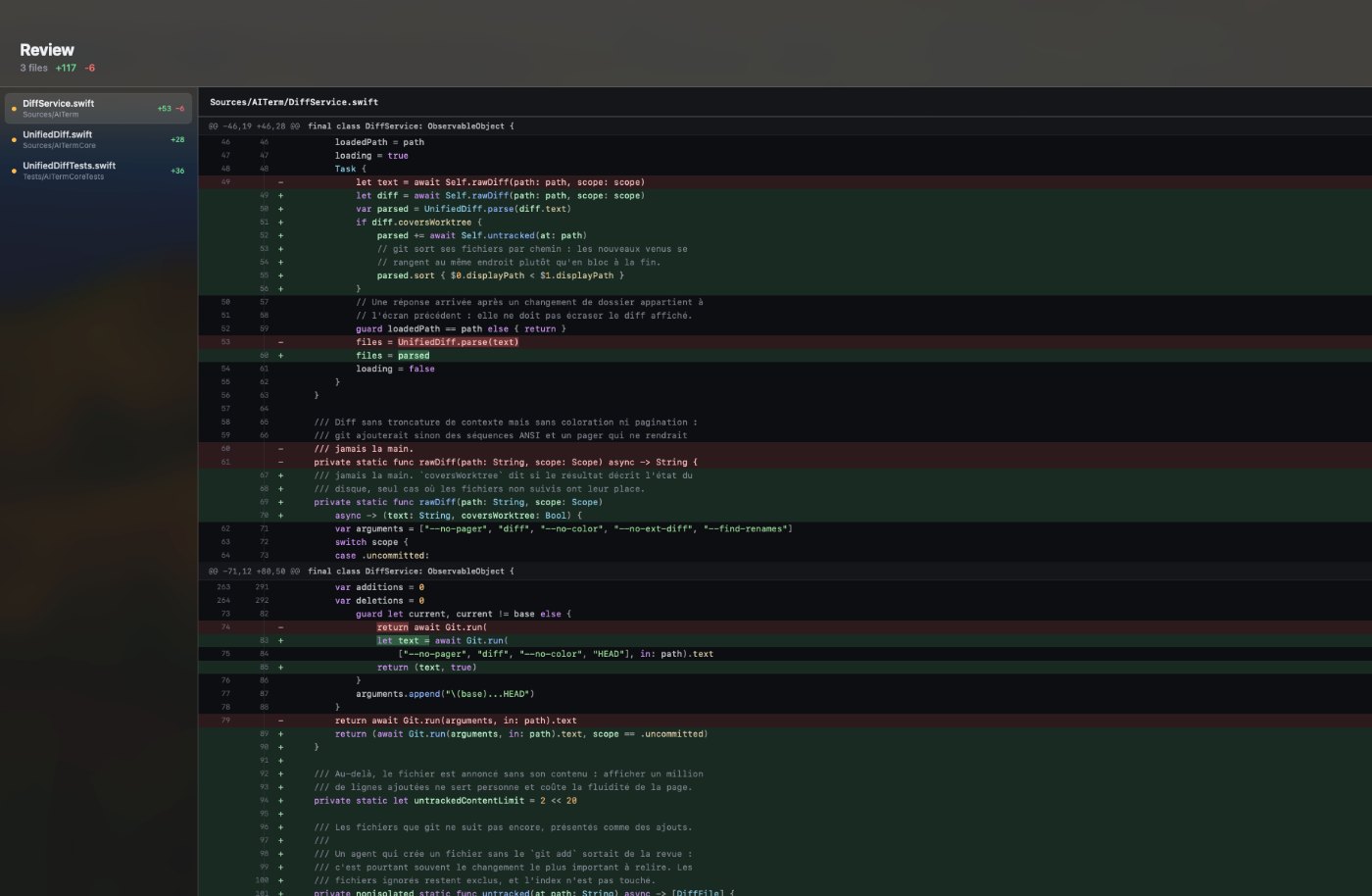
Subagents inherit the mode, which matters more than it sounds. When your main conversation is in plan, manual or dontAsk mode, a subagent runs in the mode you set for it, with one exception: Claude Code never hands a subagent bypassPermissions unless the parent session is already there. When the parent is in auto, accept edits or bypass, the subagent simply runs in that same mode and the setting on its definition is ignored.
The operational problem is attention, not capability. A planned session stops and waits for you, silently, while the other panes keep streaming output. In our anonymous daily ping the median is three simultaneous agent sessions per user, and three is already past the point where you notice a stalled pane on your own.
That is the friction AITerm is built against. Native macOS panes with a live state per agent session, so waiting for approval is a colour in your peripheral vision instead of a tab you remember to check. Twenty panes streaming agent output sit around 140 MB of resident memory on an M2 Air, with keystroke latency under 8 ms, which is the part a web-stack terminal cannot hold once the output gets dense.
Same idea as running isolated worktrees for parallel agents, applied to the moment a plan needs a human.
Does plan mode work in CI and headless runs?
Yes, and its blocks are stricter there than in your terminal. Plan mode keeps its blocks wherever Claude Code runs without an interactive terminal, including non-interactive runs with -p, Agent SDK sessions and the VS Code extension's chat panel. The terminal exception for bypass permissions does not apply.
In the SDK, permissionMode set to plan routes file-edit and shell-write tools to your canUseTool callback regardless of allow rules. That is the hook a pipeline needs: the plan comes back, your code decides, and nothing writes until it does. You can also switch modes mid-session with setPermissionMode, which is how you start restrictive and loosen once the plan is accepted.
# a planning pass in CI that cannot write anything, ever
claude -p "read the auth module and plan the OAuth migration" \
  --permission-mode plan \
  --output-format json

# the locked-down variant: every prompt becomes a denial
claude -p "run the test suite" \
  --permission-mode dontAsk \
  --allowedTools "Bash(npm test)" "Read"
For a job that should never prompt at all, dontAsk is the better mode: anything that would ask is denied instead, and canUseTool is never called. We use the planning pass as a pull request comment on large migrations, where the plan is the review artifact and no agent is allowed to touch the branch. Turns out a plan nobody implements is still worth reading.
Going further
GUIDE
Claude Code like a power user
The session fundamentals around plan mode: context, CLAUDE.md and the other permission modes.
WORKTREES
Six worktrees, only four paid off
What changes when several planned sessions run at once, and where the isolation stops paying.
AGENTS
Agent teams are not pointless
Plan approval between a lead and its teammates, measured in RAM and in tokens.
PRODUCT
See which pane is waiting
Live state per agent session in native panes, so an approval prompt never sits unread.
Sources
- Choose a permission mode, Claude Code documentation, 2026: the six modes and what each auto-approves, auto mode as the built-in starting mode on Pro, Max and Team plans against
defaulton Enterprise and Console API keys, the Shift+Tab cycle running auto to manual then accept edits then plan, theplan mode onstatus bar indicator,/planandclaude --permission-mode plan, the three approve options,Ctrl+G,defaultModeandclaudeCode.initialPermissionMode,useAutoModeDuringPlan, protected paths, and the statement that interactive terminal sessions with bypass permissions available do not enforce plan mode's blocks while headless, SDK and VS Code chat sessions do. - Best practices for Claude Code, Claude Code documentation, 2026: the explore, plan, implement, commit workflow, the instruction to press Shift+Tab until the status bar shows plan mode on, the guidance that planning is most useful for multi-file or unfamiliar changes and that you should skip the plan if you could describe the diff in one sentence, the verification loop, the
AskUserQuestioninterview and spec pattern, and the warning that a reviewer asked to find gaps will find them. - Subagents, Claude Code documentation, 2026: the built-in Explore, Plan and general-purpose subagents, Write and Edit denied on the first two, the delegation of planning research to the Plan subagent so exploration output stays in a separate context window, and the permission mode inheritance rules including the
bypassPermissionsexception. - Configure permissions, Claude Agent SDK documentation, 2026: the six-step evaluation order,
permissionModeset to plan sending file edits and shell-write tools tocanUseToolregardless of allow rules, the v2.1.212 change coveringtouchandrm,setPermissionModefor mid-session switches, anddontAskwithallowedToolsfor locked-down headless agents. - Compaction silently deactivates plan mode, anthropics/claude-code issue #46663, opened April 2026 against v2.1.101 and closed as not planned: regular compaction during a planning session drops plan mode with no notification while the plan file remains on disk.
- Plan files persist in ~/.claude/plans/ after completion, anthropics/claude-code issue #17058, opened January 2026 and closed as duplicate: plan files are never cleaned up, roughly 87 files and a megabyte after weeks of use, and Claude re-reading old completed plans after compaction.
- Measuring the Impact of Early-2025 AI on Experienced Open-Source Developer Productivity, METR, 2025: a randomized controlled trial with 16 experienced developers and 246 tasks on repositories they averaged five years of experience in, finding a 19% slowdown with AI tools against a self-reported 20% speedup.
- Announcing the 2025 DORA Report, Google Cloud, 2025: nearly 5,000 technology professionals surveyed, 90% using AI at work, more than 80% reporting a productivity increase, 30% reporting little or no trust in AI-generated code, a positive relationship between AI adoption and software delivery throughput and a negative one with delivery stability.
Frequently asked questions
How do I turn on plan mode in Claude Code?
Three ways, and the keyboard one depends on your plan. Press Shift+Tab until the status bar reads plan mode on: from auto mode, the built-in starting mode on Pro, Max and Team plans in a terminal, the first press lands on manual, then accept edits, then plan, so it takes three presses. On Enterprise plans and Claude Console API keys, sessions start in manual mode and it takes two. You can also prefix a single prompt with /plan, or start the session with claude --permission-mode plan. Watch the status bar rather than counting presses, because optional modes slot into the cycle and change the count.
How do I get out of plan mode in Claude Code?
Press Shift+Tab again to leave plan mode without approving anything, or approve the plan when Claude presents it. Approving exits plan mode and switches the session to the mode your chosen option describes: auto mode, accept edits when auto is unavailable, or manual approval of each edit. There is also a No, keep planning option that keeps you in plan mode so you can tell Claude what to change. To plan again later, cycle back with Shift+Tab or prefix your next prompt with /plan.
What is the difference between plan mode and accept edits mode?
They sit at opposite ends of the same cycle. In plan mode Claude reads files and explores, but file edits are never auto-approved, even when an allow rule matches them. In accept edits mode Claude writes files and runs common filesystem commands such as mkdir, touch, mv and cp without asking, inside your working directory. Plan mode is for deciding what to do, accept edits is for doing it once the approach is settled. The usual working pattern is plan first, approve, then let the session drop into accept edits or auto mode for the mechanical part.
Can Claude edit files in plan mode?
Normally no, with one exception worth knowing. Plan mode blocks source edits until you approve a plan, and on Claude Code v2.1.212 or later shell commands that modify files, such as touch and rm, are blocked the same way. The exception is interactive terminal sessions where bypass permissions are available, meaning you started with --dangerously-skip-permissions or --allow-dangerously-skip-permissions. There, Claude Code does not enforce plan mode's blocks: Claude is still instructed to plan without editing, but an edit it attempts during planning runs without prompting. If you rely on plan mode as a safety boundary, do not start those sessions with bypass permissions in the cycle.
What is the default permission mode in Claude Code?
It depends on your plan and your interface. On Pro, Max and Team plans, terminal and VS Code sessions start in auto mode, where a classifier model reviews most actions instead of you. On Enterprise plans and accounts using a Claude Console API key, sessions start in manual mode, whose config value is default. You can pin a different starting mode with defaultMode in .claude/settings.json, including plan, and the VS Code extension uses its own claudeCode.initialPermissionMode setting instead of project settings.
Where are Claude Code plans saved?
Approved plans are written as markdown files under ~/.claude/plans/ with generated names like vast-gliding-fog.md. They are not cleaned up: a bug report filed in January 2026 describes 87 plan files and about a megabyte accumulating over a few weeks of normal use, and notes that after context compaction Claude can re-read an old completed plan. The practical fix is a periodic sweep with find ~/.claude/plans -type f -mtime +7 -delete, and the habit of naming the current plan file explicitly when you resume a session.
Does plan mode work in headless or CI runs?
Yes, and the blocks are stricter there than in your terminal. Plan mode keeps its blocks wherever Claude Code runs without an interactive terminal, including non-interactive runs with -p, Agent SDK sessions and the VS Code extension's chat panel. In the SDK, permissionMode plan sends file-edit and shell-write tools to your canUseTool callback regardless of allow rules, so a pipeline can approve or refuse a plan programmatically. For a locked-down CI job that should never prompt at all, dontAsk mode with an explicit allowedTools list is the better fit.